
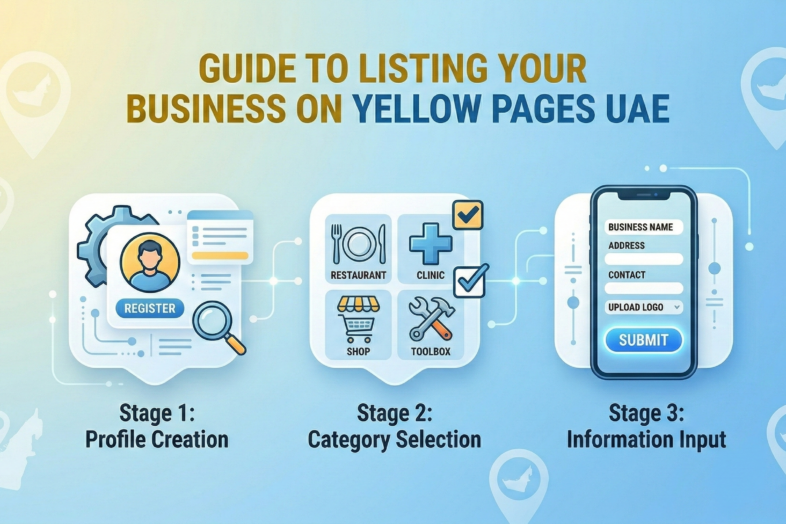

In today’s digital age, being visible online is more crucial than ever, especially for local businesses in the UAE. If you want your business to be discovered by more customers, listing it on trusted online directories like Yellow Pages UAE is a powerful way to ensure you’re seen.
Yellow Pages UAE is a popular and trusted business directory that connects companies with consumers across the UAE. Whether you’re a restaurant in Dubai, a plumber in Abu Dhabi, or a tech service provider in Sharjah, being listed on Yellow Pages UAE boosts your visibility, credibility, and lead generation potential.
But how exactly do you list your business on Yellow Pages UAE? Let’s walk through the entire step-by-step process, highlight the key benefits, and provide tips on optimizing your listing for maximum exposure.
What Is YellowPagesAE, and How Can It Benefit My Business?
Before we dive into the listing process, it’s important to understand why Yellow Pages UAE is a valuable tool for businesses in the UAE.
YellowPagesAE is an online business directory that helps businesses gain local exposure through organised, easy-to-access listings. Here’s why listing your business here is essential:
- Increase Online Visibility: By being on Yellow Pages UAE, your business can be found by customers actively searching for services like yours.
- Local SEO Boost: Yellow Pages UAE is a trusted domain, and listing your business can improve your local search rankings, helping you appear in searches related to your industry.
- Lead Generation: With both free and paid options, Yellow Pages UAE helps generate qualified leads by connecting you directly with users seeking services in your category.
Now that you understand the importance of being listed, let’s explore how you can easily list your business on Yellow Pages UAE.
Step 1: Visit the Yellow Pages UAE Website
The first step in the listing process is simple: go to the official Yellow Pages UAE website at yellowpagesae.com.
Where to Start?
Look for the ‘Register Your Business’ option on the homepage. This will direct you to the registration page, where you can either sign in (if you have an existing account) or create a new account.
Step 2: Create Your Yellow Pages UAE Account
To list your business on Yellow Pages UAE, you’ll first need to create an account. This is a quick and easy process, and once set up, it will allow you to manage your business listing at any time.
Information You’ll Need to Register:
- Business Name: Use your official business name (exactly as it appears on your trade license).
- Email and Phone Number: This ensures that Yellow Pages UAE can contact you regarding your listing.
- Password: Create a secure password to access your account in the future.
Once your account is created, you’ll be able to move on to the next steps of adding your business details.
Step 3: Choose Between a Free or Paid Listing
After creating an account, you will be given the option to choose between a free listing and a paid listing. Both options are beneficial, but each comes with different features.
Free Business Listing:
If you’re just starting or are on a budget, the free listing is a great choice. It includes:
- Basic Business Information: Your name, address, phone number, and description.
- Visibility: Your business will appear in search results, but it may be lower in ranking compared to premium listings.
- Limited Features: You won’t have the ability to add photos, videos, or extra details.
Paid Business Listing:
The paid listing offers extra features for a more professional and enhanced profile:
- Priority Placement: Your business will appear at the top of search results, making it easier for customers to find you.
- Detailed Profile: Add images, videos, and a full business description. Show off your products, services, and facilities to attract more customers.
- Analytics: Track how your listing is performing in terms of views and customer interactions.
- Enhanced Visibility: Your business will be highlighted, giving it greater exposure to potential clients.
Tip: If you want to stand out and increase your leads significantly, a paid listing is worth considering. But if you’re just starting, the free listing is a good way to get your business online.
Step 4: Fill in Your Business Details
Next, you’ll need to fill in the necessary details about your business. Make sure the information you provide is accurate, as it will appear on your Yellow Pages profile.
Key Details to Include:
- Business Name: Your official business name should match exactly what is on your legal documents.
- Business Address: Include the full address of your physical store or office.
- Contact Information: Include your phone number, email, and website URL (if applicable).
- Category: Choose the most appropriate category for your business, whether it’s restaurants, construction, IT services, etc. This helps customers find you based on their needs.
Pro Tip: The more detailed and accurate your listing, the higher the chances of attracting customers. Keywords related to your business are essential, so make sure to use them naturally in your description.
Step 5: Add Photos and Media (For Paid Listings)
One of the key benefits of a paid listing is the ability to upload images and videos. Adding media to your business profile can significantly boost engagement and attract customers.
What to Include:
- High-Quality Images: Upload clear photos of your products, services, or store location.
- Videos: If applicable, upload videos that showcase your products, services, or customer experiences.
Pro Tip: Visuals are a powerful tool to enhance your business’s credibility and appeal. High-quality photos increase the likelihood of customers clicking on your profile.
Step 6: Add Keywords for Better Searchability
Yellow Pages UAE allows you to add keywords to your business description, which helps improve your listing’s search visibility.
How to Choose the Right Keywords?
Think about the words customers will use to search for businesses like yours. For example:
- Restaurant: “Best Italian restaurant in Dubai”, “Fine dining Dubai”.
- Plumber: “Emergency plumbing services Dubai”, “Affordable plumber Dubai”.
By including relevant keywords in your description and services, you increase your chances of appearing in search results when users search for terms related to your business.
Step 7: Review and Submit Your Listing
Before submitting, review all the information you’ve entered. Make sure the details are accurate and complete. Once everything is correct, click ‘Submit’ to publish your listing.
How Long Will It Take for My Listing to Go Live?
Once your listing is submitted, Yellow Pages UAE will review it for accuracy. Generally, it takes 24-48 hours for the listing to go live. After approval, your business will be searchable by potential customers.
Step 8: Monitor and Update Your Listing
After your business is live, it’s essential to regularly monitor and update your listing to keep the information current.
How to Update Your Listing:
- Log in to your Yellow Pages account and make any necessary changes to your business details, hours, or services.
- Regular updates help keep your profile relevant and visible, especially if your business changes its offerings or operating hours.
Frequently Asked Questions (FAQs)
1. How much does it cost to list my business on Yellow Pages UAE?
Yellow Pages UAE offers both free and paid listings. Free listings provide basic visibility, while paid listings offer enhanced features, such as priority placement and added media options.
2. How can I upgrade to a paid listing?
You can upgrade to a paid listing during the registration process or by logging into your account and selecting the ‘Upgrade’ option.
3. Can I edit my business listing after it’s published?
Yes, you can update your business details at any time through your Yellow Pages UAE account.
4. How long does it take for my listing to appear on Yellow Pages UAE?
Once submitted, your listing should go live within 24-48 hours after review and approval.
Conclusion: Take Your Business to the Next Level with Yellow Pages UAE
Listing your business on Yellow Pages UAE is an easy and effective way to improve your online presence, attract local customers, and enhance your local SEO. Whether you choose a free or paid listing, the process is simple, and the benefits are immense. Follow the steps in this guide, and start increasing your visibility today by listing your business on Yellow Pages UAE!



Add Comment
You must be logged in to post a comment.